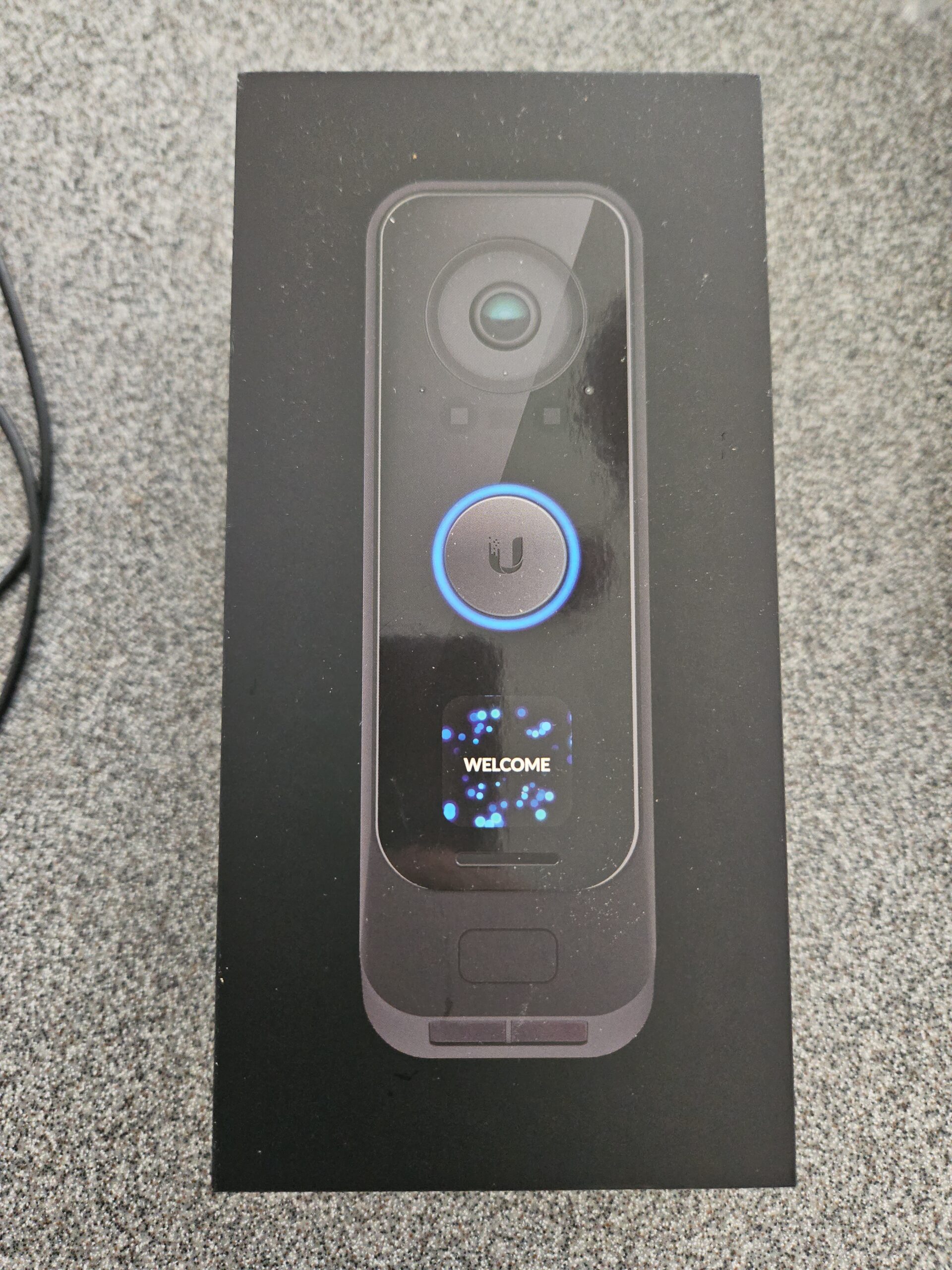
I installed a new G4 Doorbell Pro a few months ago, along with a new Bell Chime and Bell Transformer. My first time having a working hardwired doorbell in over a decade! To make this short and sweet, the new Doorbell works great! I did encounter one small issue while me and the Electricians were working on the installation (and a few other things).
My Doorbell setup is pretty simple. I have a traditional Mechanical Chime along with the wiring already in place, a UniFi G4 Doorbell Pro as my doorbell button, and a 16V transformer powerful enough to handle the load of a video doorbell. This setup requires that the built-in Chime Internal Relay, included with the G4 Doorbell Pro, be used in order to strike the doorbell chime. All of this comes included with the Wi-Fi Doorbell kit, which is the variant I have. There is also a PoE powered variant which is meant to work with Smart Chimes or as a part of a broader Access/Protect setup, rather than with a traditional Doorbell. The Wi-Fi Doorbell Kit can also be powered by USB-C, which allows it to operate on a PoE to USB-C Power Adapter, and makes it easy to set up the G4 Doorbell Pro before setting before hard-wiring it to the existing wiring.
When the UniFi G4 Doorbell Pro is first installed, the doorbell initializes in a default state to account for the lack of a chime. This is because the device can be paired with a Wi-Fi or PoE connected Smart Chime (which is powered by an ESP32, by the way). This is also because Digital Chimes and Mechanical Chimes are electrically different. Digital chimes, for example, often need a “longer” button press to be triggered, whereas a simple Mechanical Chime works on the fact that simple doorbell buttons are switches (with possibly a light paired with a resistor inside), closing the AC circuit to ring the bell. This setting has to be set correctly to avoid destroying the doorbell chime when using a smart doorbell. A relay is also needed inside of the Chime to help direct current appropriately between the Chime and the Smart Doorbell.

Now, just a little note about the UniFi G4 Doorbell Pro and the accompanying relay. Normally, these devices ship with “stab-in” connectors. Myself and the Electricians were not having any luck using those as the existing wiring in my house is 24AWG CAT5e cable (even for the Doorbell, yes), and the stab-in connectors were simply not biting and holding. In my photo above, you’ll see the more reliable solution was to cut off the stab-in connectors and use simple wire nuts instead. Also in the photo, you can see the outline via the paint of my previous doorbell, which was a digital chime. Specifically it was a NuTone LA52WH, which had previously been fried by either a faulty doorbell button OR by a lighting strike. It was original to the house and operated until about 2009 or so. Whatever happened, there were burn marks on the PCB, so the pictured mechanical door chime is what ended up replacing it. Last note on my wiring. Since this is a mechanical bell chime that can be wired to both a Front and a Rear doorbell button, it doesn’t matter whether I wire the UniFi G4 Doorbell Pro to the Rear or the Front. This simply strikes a different bell, and produces a different tone to provide an audio indicator as to which door a button was pressed at (how we did things before the days of video doorbells). What matters is the wiring to/from the Transformer, and which lead on the Relay is connected.

The Chime didn’t work immediately… due to Environmental Conditions.
Once adopted, I configured my Doorbell Chime type to a Mechanical chime, saved my settings, pressed the Doorbell button and then… nothing. I received a notification via UniFi Protect that someone was at the door, but what accompanied the button press was an alert message advising the Chime could not chime due to Environmental conditions. Environmental conditions? UniFi Protect was spare on details, and this led to some troubleshooting between me and the Electricians to figure out why the Chime wouldn’t work. Did I end up with a bad Doorbell? Is the new Transformer too weak? Is there too much voltage drop on the wiring between the Transformer and the UniFi G4 Doorbell Pro? Web searches online were coming up pretty empty, with some people claiming this was resolved by a software update. Others claiming this happened because my Doorbell needed a transformer larger than the one I have (16V 10VA). My software versions for UniFi Protect, and the G4 Doorbell Pro firmware were all up to date. Checking the circuit with a Multi-meter was reading 17.2-17.8v both under load and without a load, which is within the specifications of the G4 Doorbell Pro AND proves the transformer has plenty of capacity left for more load. My doorbell was produced in Q4 of 2023, so I clearly got some older stock that had been sitting at the Ubiquiti Distribution Warehouse for sometime (the G4 Doorbell Pro went out of stock shortly after my order was prepared, lol. I must’ve purchased the last one). I was dreading having to file an RMA with Ubiquiti and try another unit.
What did the fix ultimately end up being? Time. As it turns out, there is a small battery contained either within the UniFi G4 Doorbell Pro (see the FCC Internal Photos for reference), OR the UniFi Chime Relay which needs a little bit of time to charge. I stumbled across this post just after the Electricians left and we gave up on troubleshooting the doorbell wiring for a little while. Lo and behold, an hour of waiting later, I go to press the doorbell button again, and the Chime rings without any issue! With the doorbell working, I caulked up around the back housing of the Doorbell (since it doesn’t sit 100% perfectly flat against the vinyl door frame) and called it a day. Since the installation, the doorbell has been working near flawlessly. We shall see how Winter goes, once our Blizzard season arrives around December/January and we begin to hit single digit to sub-zero temperatures. But so far, the Doorbell has operated fine through 100% humidity days, days where my air quality monitor nearby reports 95-98F temperatures, and overnight when the IR emitters and Welcome light are shining.
Other notable items to review…
In terms of Camera quality, it is pretty sharp! Both cameras (Front facing and Package Camera) are 2 Megapixel (1080p) cameras with the front-facing camera having a 5 Megapixel CMOS Sensor operating at 30FPS, and the Package Camera having an 8 Megapixel CMOS Sensor operating at 2FPS. The front camera’s picture adjustments are available within the UniFi Protect interface. The Package Camera, as of right now, doesn’t have Image Adjustment functionality, which is slightly disappointing, as I find the image it produces to be a bit under-exposed under certain lighting conditions. For the most part does provide a clear image when there is light. Here are some example images showing the clarity of the Doorbell cameras (with some blurring for privacy – don’t be lame)… as well as some drawbacks with the package camera that should be an easy fix for Ubiquiti.


So as mentioned – Very clear, very sharp images compared to many consumer products which rely on the Cloud. The night vision works spectacularly, with great contrast even at night. The under-exposure and lack of image adjustments on the package camera definitely hurts. With that said, at night, if anything approaches the doorbell camera, the greeting light will turn on, which shines brightly and illuminates the frame of the Package camera. The greeting light can also be turned on manually by viewing the package camera while the environment around the doorbell is dark (when IR mode is triggered).
AI Detections – These work pretty well overall. EXCEPT for the Package Detection. Package detection appears to be broken in Protect, or at least in my setup, as my doorbell has not thrown any Package Detection events, despite the detection being enabled, and having received many box-shaped packages which were placed on the porch within the Doorbell’s package camera view. I’ll see if I can get this to work one of these days…
Wireless Connectivity – This has been pretty stable on the UniFi G4 Doorbell Pro. I find the Doorbell regularly connecting to 5Ghz Wi-Fi. Note that the device uses only a 1×1 802.11ac Wi-Fi radio, so don’t expect it to be doing miracles in terms of bandwidth. This sort of antenna configuration also means you may want to pay good attention to the quality of the Wi-Fi connection if you are using the Wi-Fi model like I am. This unit can stream at 6-10Mbps continuously under busy scenes, which you can reduce a bit by enabling HEVC (Enhanced) encoding instead of H.264 encoding. As mentioned previously, the unit supports WPA3 Wi-Fi networks, and I strongly recommend using WPA3 as this makes the connection resistant to de-authentication attacks.
The speaker in the Doorbell is plenty loud, and I can often hear it inside during the evening hours when I push updated firmware to the device. The microphone on the Doorbell provides clear audio, and the two-way talk functionality inside of UniFi Protect works well for the most part. When using HEVC video encoding, two-way audio is not supported on Web Browsers (as of this post) such as Firefox, but on mobile the functionality works fine.
Customs ringtones as well as custom animations and messages for the built-in screen are also supported. Pretty self explanatory, and instructions on what is supported can be found in the Protect controller. In short, for audio to use as a custom ringtone, upload an MP3 that is 1MB or less in size. For pictures to show on the doorbell’s screen, a JPG, PNG, or GIF image that is 240×240 in resolution and under 10MB in size.
The G4 Doorbell Pro also has a Fingerprint Sensor and an NFC Reader, which you can use for automations via Web Hooks to a service such as Home Assistant, such as to turn on the lights and unlock a smart deadbolt lock. Alarms can be configured to alert of someone “badging in” which can be useful for families or homes with caretakers or children that need to be monitored remotely (from the office). The Fingerprint sensor is pretty responsive and enrollment of a fingerprint can be done right at the doorbell itself. Enrollment is triggered via the Protect app or Web Interface. The same applies with NFC Tags and NFC-enabled phones.
Home Assistant integration works pretty well. Once UniFi Protect is set up on your network, Home Assistant typically automatically discovers the Protect install and asks to enable the Integration. Once the G4 Doorbell Pro is adopted, it becomes available in Home Assistant as an Entity, and you’re able to read the status of the Doorbell, such as whether Motion, AI, or Smart Detections are being triggered, and whether the Doorbell button has been pressed. Even functionality such as “Is it dark” will be available for use within Automations. Enabling RTMPS for your Primary and Package Cameras will allow you to see your camera feed within a Home Assistant Dashboard. All of the other technical information, such as the input voltage for the doorbell, and Wi-Fi signal strength, is available in Home Assistant for long term logging.
So overall, pretty happy with the device. I wanted to make this blog post primarily to bring attention to the “Environmental Conditions” error I received during the initial install of the hardware. But, like anything else, things end up turning into a review. I certainly have a lot of playing around to do with this device to get the most out of it. I am just happy that it is not dependent on the Cloud to function, like so many other consumer products. If you end up getting a UniFi G4 Doorbell Pro, I hope you find the device to be a great purchase!